
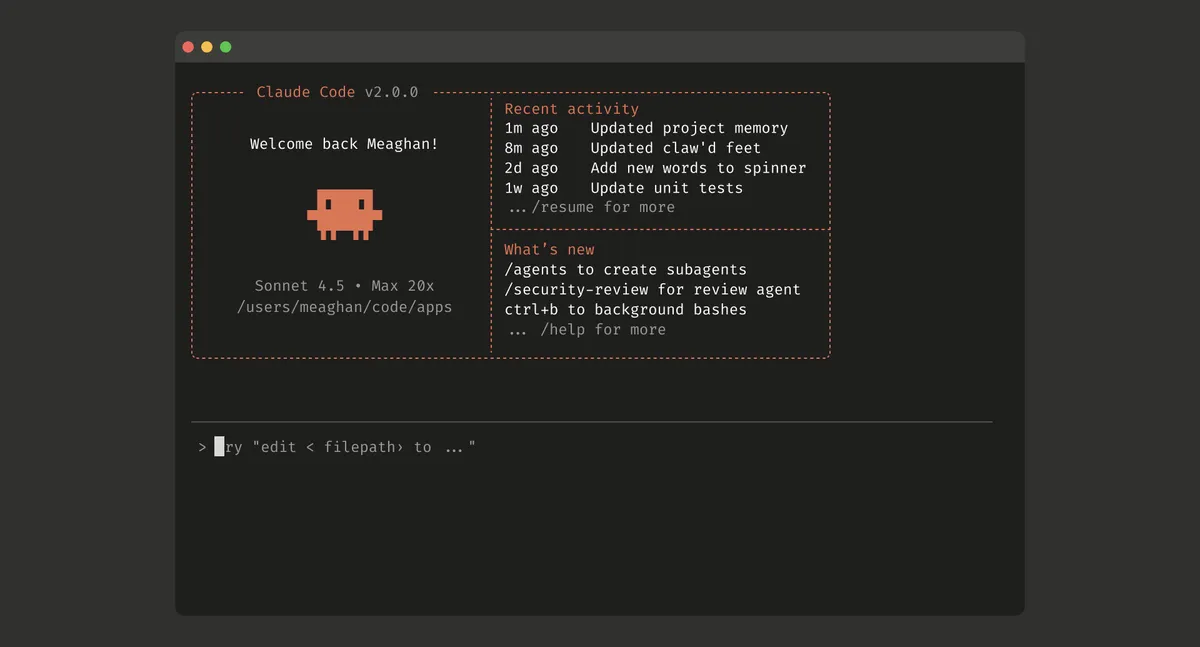
On September 29, 2025, Anthropic introduced major upgrades to Claude Code, including a native VS Code extension (in beta), Terminal 2.0 with enhanced interface, and automatic checkpointing for safer autonomous operation. Powered by Claude Sonnet 4.5—Anthropic’s most capable coding model—Claude Code now handles longer, more complex development tasks directly within developers’ preferred environments, offering real-time visibility into AI-driven code changes and instant rollback capabilities.
The Native VS Code Extension: AI Coding Meets IDE Integration
Bringing Claude Code into the IDE
For the first time, Claude Code users can access the full power of autonomous AI coding directly within VS Code, rather than switching between the terminal and editor. The native extension represents a significant evolution from the CLI-first approach that required developers to work primarily in terminal windows.
Key Features:
- Dedicated sidebar panel: Persistent Claude Code interface within VS Code
- Real-time inline diffs: See proposed changes as they happen
- Automatic installation: The extension detects
claudeCLI usage and self-installs - Multi-platform support: Works with VS Code, Cursor, and Windsurf IDEs
How the Extension Works
The VS Code extension acts as a bridge between the Claude Code command-line interface and the visual interface of your editor:
1. CLI Detection:
- Run the
claudecommand from VS Code’s integrated terminal - Extension automatically detects Claude Code activity
- Self-installs without manual intervention
2. Real-Time Synchronization:
- Claude Code’s proposed changes appear in the sidebar
- Inline diffs show exactly what will change in each file
- Color-coded indicators highlight additions, deletions, and modifications
3. Review and Control:
- Accept changes: Apply Claude’s suggestions with one click
- Reject changes: Decline specific modifications
- Edit before applying: Refine AI-generated code before committing
Example Workflow
Imagine refactoring a React component:
$ claude "Refactor this component to use TypeScript and add error handling"What Happens:
- Extension activates: Sidebar panel opens showing Claude’s analysis
- Files highlighted: All files Claude intends to modify are listed
- Inline diffs appear: See line-by-line changes in each file
- Review and apply: Accept all changes or review individually
- Instant feedback: Changes apply immediately, with full undo support
This visual approach dramatically improves trust and transparency—developers see exactly what the AI is doing rather than discovering changes after the fact.
Terminal 2.0: Enhanced Command-Line Experience
Rebuilt from the Ground Up
While the VS Code extension serves visual-first developers, Anthropic hasn’t forgotten terminal enthusiasts. Claude Code Terminal 2.0 introduces significant improvements to the CLI experience:
Improved Status Visibility:
- Real-time progress indicators: See what Claude is thinking and doing
- Structured output: Clearer organization of information and results
- Color-coded feedback: Instant visual confirmation of success, warnings, and errors
Searchable Prompt History (Ctrl+R):
- Access previous prompts: Quickly find and reuse earlier commands
- Edit and re-run: Modify past prompts for iteration
- Context preservation: Understand the evolution of your coding session
Better Error Reporting:
- Actionable error messages: Clear explanations when Claude encounters problems
- Suggested fixes: Recommendations for resolving issues
- Stack traces: Detailed debugging information when needed
Terminal Workflow Example
A backend developer adding authentication:
$ claude "Add JWT authentication to the API endpoints"Claude: Analyzing your codebase...Claude: Found 12 endpoints requiring authenticationClaude: Installing jsonwebtoken dependencyClaude: Creating middleware/auth.jsClaude: Modifying routes/api.js (adding auth middleware to 12 endpoints)Claude: Creating tests/auth.test.jsClaude: Done! Would you like me to explain the implementation?The enhanced terminal interface makes it clear what Claude is doing at every step, building confidence in autonomous operation.
Checkpointing: Time Travel for Code
Automatic State Preservation
The most groundbreaking feature in this update is automatic checkpointing—a system that saves your code state before each Claude-initiated change, enabling instant rollback without manual git commits.
How Checkpointing Works:
1. Pre-Change Snapshots:
- Before applying any code modification, Claude Code creates a checkpoint
- Checkpoints capture complete file states, not just diffs
- No performance impact on coding flow
2. Instant Rollback:
- Press Esc twice: Immediately undo Claude’s last change
- Use
/rewindcommand: Roll back to any previous checkpoint - Navigate checkpoint history: See all save points in current session
3. Checkpoint Management:
- Automatic cleanup: Old checkpoints are purged to save disk space
- Session-based: Checkpoints are tied to the current Claude Code session
- Git integration: Checkpoints work alongside (not replacing) version control
Why Checkpointing Matters
Autonomous AI coding introduces a fundamental challenge: what if the AI makes a mistake? Without checkpointing, developers face:
- Manual git commits: Tedious commit-before-every-AI-change workflows
- Lost work: If Claude breaks something, fixing it requires detective work
- Hesitation to experiment: Fear of irreversible changes limits exploration
Checkpointing eliminates these concerns, enabling developers to confidently let Claude take action knowing they can instantly revert if needed.
Example Scenario
A developer asks Claude to optimize database queries:
$ claude "Optimize the user query methods for better performance"Claude: Applied changes to models/user.js[Developer tests, notices a bug]$ [Press Esc twice]Claude: Reverted changes to models/user.js$ claude "Optimize user queries but preserve the existing caching logic"Claude: Applied improved changes[Developer tests, everything works]$ git commit -m "Optimized user queries"Checkpointing enables fast iteration without polluting git history with experimental changes.
Powered by Claude Sonnet 4.5
The Engine Behind Claude Code
All Claude Code functionality is powered by Claude Sonnet 4.5, released on September 29, 2025, as Anthropic’s most capable model for coding and autonomous tasks. Key capabilities include:
Coding Performance:
- SWE-bench Verified: 77.2% accuracy (82.0% with parallel compute)
- Terminal-Bench: 50.0% on command-line task automation
- OSWorld: 61.4% on computer interaction benchmarks
Long-Horizon Task Execution:
- 30+ hour runtime: Claude Code can work continuously on complex tasks
- Consistent performance: Maintains quality throughout extended sessions
- Autonomous planning: Breaks down large objectives into subtasks
Context Window:
- 200K tokens standard: Equivalent to ~150,000 words or 500 pages
- 1M token option: For massive codebases (preview access)
- 64K token output: Generate entire files or comprehensive documentation
Comparing to Competitors
Claude Sonnet 4.5’s coding capabilities position it competitively:
vs. GPT-5:
- Advantage: Superior at autonomous, multi-step coding tasks
- Disadvantage: Slightly slower inference speed
vs. Gemini 2.5 Pro:
- Advantage: Better at understanding developer intent from natural language
- Disadvantage: Smaller context window (200K vs. 1M)
vs. GitHub Copilot (GPT-4 based):
- Advantage: Full-file generation vs. line-by-line completion
- Disadvantage: Requires explicit invocation rather than always-on suggestions
Supported Platforms and Requirements
IDE Support
The Claude Code VS Code extension works with:
- Visual Studio Code: Official Microsoft IDE
- Cursor: AI-first code editor (also supports Cursor’s native AI)
- Windsurf: Alternative VS Code-based editor
JetBrains Support: While the current release focuses on VS Code-compatible editors, Anthropic has confirmed JetBrains IDE support is in development for IntelliJ IDEA, PyCharm, WebStorm, and other JetBrains products.
Subscription Requirements
Claude Code requires one of the following:
Individual Plans:
- Claude Pro ($20/month): Full access to Claude Code features
- Claude Max ($50/month): Higher usage limits and priority access
Team Plans:
- Claude Team ($30/user/month): Collaborative features and admin controls
- Claude Enterprise (custom pricing): Advanced security and compliance features
API Alternative:
- Pay-as-you-go API credits: Use Claude Code without subscription
- Pricing: Based on token usage (input and output)
- Best for: Occasional use or cost-conscious developers
Real-World Use Cases
1. Feature Development
Scenario: Adding a new user dashboard
$ claude "Create a user dashboard showing account activity, recent transactions, and analytics charts"What Claude Code Does:
- Creates
components/Dashboard.tsx - Adds API endpoints in
routes/user.js - Generates mock data for development
- Writes tests for dashboard components
- Updates routing configuration
Developer Role: Review, refine details, and approve changes
2. Refactoring Legacy Code
Scenario: Modernizing a jQuery-based frontend
$ claude "Convert this jQuery app to React with TypeScript"What Claude Code Does:
- Analyzes existing jQuery code structure
- Creates React component hierarchy
- Adds TypeScript type definitions
- Preserves business logic and functionality
- Updates build configuration
Developer Role: Test thoroughly, handle edge cases
3. Bug Fixing
Scenario: Resolving a memory leak
$ claude "There's a memory leak in the WebSocket connection handler. Find and fix it."What Claude Code Does:
- Analyzes WebSocket implementation
- Identifies missing cleanup in event listeners
- Adds proper connection disposal
- Implements error handling
- Adds logging for diagnostics
Developer Role: Verify the fix resolves the issue
4. Test Generation
Scenario: Increasing test coverage
$ claude "Write comprehensive tests for the authentication module"What Claude Code Does:
- Analyzes authentication code
- Generates unit tests for each function
- Creates integration tests for auth flows
- Adds edge case and error condition tests
- Ensures 90%+ code coverage
Developer Role: Review test quality and completeness
Productivity Impact: 10x Coding Velocity?
Early Adopter Reports
Developers using Claude Code report dramatic productivity improvements:
Backend Developer (5 years experience):
- Before Claude Code: 3-4 features shipped per sprint
- With Claude Code: 7-9 features per sprint
- Key benefit: “I describe what I want, Claude builds it, I review and refine”
Frontend Engineer (8 years experience):
- Time saved: 60% on boilerplate code
- Best use: Component creation, styling, responsive design
- Limitation: Still writes complex business logic manually
Full-Stack Founder (building startup):
- MVP timeline: Cut from 6 months to 2 months
- Solo development: Building features that would typically require a team
- Trade-off: More time spent reviewing code, less time writing
The “10x” Claim
Proponents claim Claude Code delivers “10x faster coding,” but reality is nuanced:
Where Claude Excels (5-10x speedup):
- Boilerplate generation: CRUD operations, API endpoints, database models
- Code conversion: Migrating between languages or frameworks
- Test writing: Comprehensive test suite generation
- Documentation: Auto-generating comments and docs
Where Humans Still Lead:
- System architecture: High-level design decisions
- Complex algorithms: Novel problem-solving requiring creativity
- Business logic: Domain-specific rules and edge cases
- Code review: Final quality assurance and polish
Realistic Assessment: Claude Code likely delivers 3-5x productivity improvement on suitable tasks, which is still transformative.
Challenges and Limitations
1. Code Quality Variability
Claude Code generates high-quality code most of the time, but:
- Occasional errors: Especially in complex, multi-file refactorings
- Style inconsistencies: May not perfectly match project conventions
- Over-engineering: Sometimes adds unnecessary abstraction
Mitigation: Thorough code review and clear, specific prompts
2. Context Limitations
Despite a 200K token context window:
- Massive codebases: Struggles with projects exceeding context limits
- Complex dependencies: May miss subtle inter-file relationships
- Organizational knowledge: Doesn’t understand unwritten team conventions
Mitigation: Break large tasks into smaller, focused subtasks
3. Learning Curve
While designed for ease of use, Claude Code requires:
- Prompt engineering: Learning how to communicate effectively with AI
- Review skills: Quickly identifying AI-generated code issues
- Trust calibration: Knowing when to rely on Claude vs. code manually
Mitigation: Anthropic provides prompt templates and best practices documentation
4. Cost Considerations
For API users, costs can accumulate:
- Large refactorings: May consume significant token budgets
- Iterative development: Multiple attempts increase costs
- Context usage: Large codebases use tokens just for context
Mitigation: Subscription plans offer predictable costs for heavy users
Competitive Landscape
GitHub Copilot
Microsoft’s incumbent coding assistant:
- Strength: Inline, real-time suggestions as you type
- Weakness: Limited to line/function-level, not file/project-level changes
- Positioning: Always-on pair programmer
vs. Claude Code:
- Copilot: Incremental assistance while writing code manually
- Claude Code: Autonomous execution of entire features or refactorings
Cursor AI
AI-first code editor with native AI features:
- Strength: Purpose-built IDE with AI at the core
- Weakness: Requires switching from familiar IDEs
- Positioning: Complete coding environment
vs. Claude Code:
- Cursor: Proprietary editor with integrated AI
- Claude Code: Works in existing VS Code/familiar environments
Replit AI
Cloud-based coding platform with AI assistant:
- Strength: No local setup, instant coding in browser
- Weakness: Cloud-dependent, less control over environment
- Positioning: Beginner-friendly, web-based development
vs. Claude Code:
- Replit: Cloud IDE with AI features
- Claude Code: Local development with professional tooling
Amazon CodeWhisperer
AWS’s coding assistant:
- Strength: Deep AWS integration, optimized for cloud development
- Weakness: Less capable at general-purpose coding tasks
- Positioning: AWS-centric development
vs. Claude Code:
- CodeWhisperer: AWS-specific optimizations
- Claude Code: Cloud-agnostic, general-purpose coding
The Road Ahead
Planned Enhancements
Anthropic has previewed upcoming Claude Code features:
Multi-Agent Collaboration:
- Multiple Claude instances: Parallel work on different parts of codebase
- Specialized agents: Frontend, backend, testing agents with role-specific expertise
- Coordination: Agents communicate to ensure coherent changes
Enhanced Context Management:
- Smart context selection: Automatically identify relevant code for task
- Cross-repository: Work across multiple related codebases
- Persistent memory: Remember project conventions across sessions
Team Collaboration:
- Shared prompts: Team libraries of effective Claude Code prompts
- Code review integration: Claude Code participates in pull request reviews
- Knowledge sharing: Claude learns from team’s coding patterns
Long-Term Vision
Claude Code represents Anthropic’s bet on AI-augmented development becoming the standard workflow. Success would mean:
- Developers as architects: Focus on design and oversight rather than implementation
- Faster innovation: Compress development cycles from months to weeks
- Lower barriers: Enable non-developers to build functional software
- Higher quality: AI-generated tests and documentation reduce bugs
Conclusion: The Future of Coding is Collaborative
Claude Code’s VS Code extension, enhanced terminal, and checkpointing system mark a significant milestone in AI-assisted development. By bringing autonomous coding into familiar environments with robust safety mechanisms, Anthropic has created a tool that feels less like a replacement for developers and more like an amplification of their capabilities.
The key innovation isn’t just Claude’s coding ability—it’s the user experience design that makes autonomous AI coding trustworthy, transparent, and controllable. Real-time diffs let you see what’s changing. Checkpointing lets you experiment fearlessly. Native IDE integration keeps you in your preferred environment.
As AI coding tools mature, the winners will be those that enhance rather than replace developer workflows. Claude Code’s thoughtful approach to integration, safety, and transparency positions it as a leading contender in the AI coding revolution.
Get Started with Claude Code:
- Install:
npm install -g @anthropic-ai/claude - VS Code Extension: Available in VS Code marketplace
- Requirements: Claude Pro, Max, Team, or Enterprise subscription
Pricing:
- Pro: $20/month
- Max: $50/month
- Team: $30/user/month
- Enterprise: Custom pricing
Stay updated on the latest AI coding tools and developer innovations at AI Breaking.