
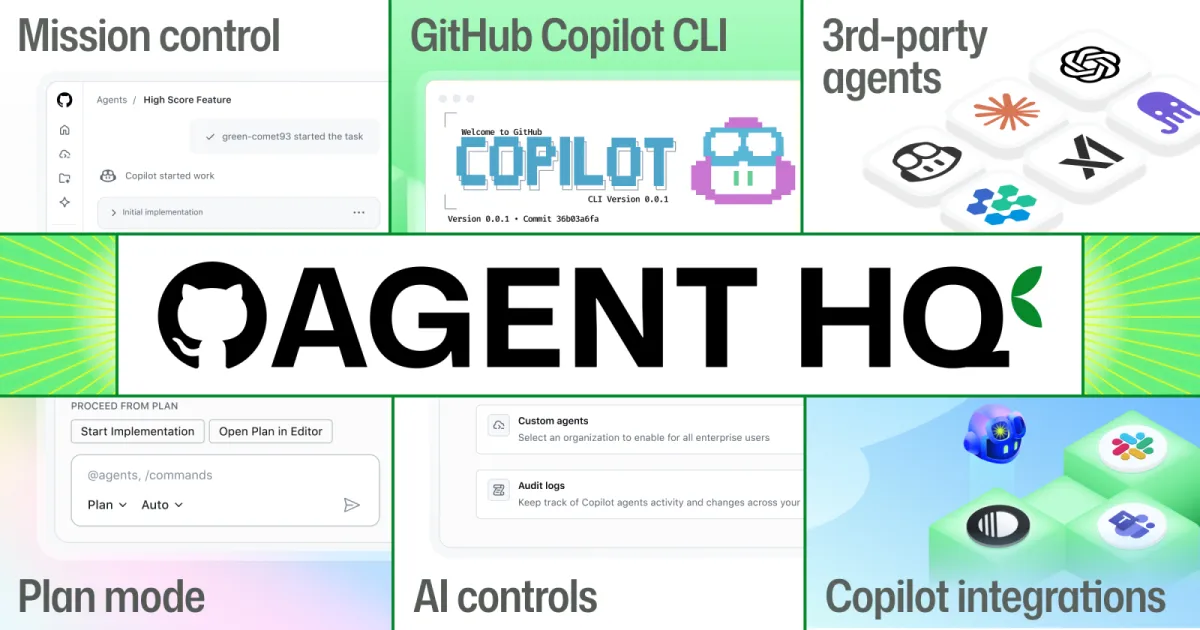
Microsoft’s GitHub dropped a bombshell at Universe 2025 on October 28: Agent HQ, a unified platform that transforms GitHub into mission control for AI coding agents from OpenAI, Anthropic, Google, Cognition, and xAI. Instead of competing on agent quality, GitHub is positioning itself as the orchestration layer beneath all agents—solving the enterprise chaos of juggling multiple AI tools.
“This is an era of abundance for AI and we just want to make sure that that abundance doesn’t turn to chaos.” — Kyle Daigle, GitHub COO
What Is GitHub Agent HQ?
Agent HQ is GitHub’s answer to the fragmentation problem: developers now use Cursor, Windsurf, Claude Code, OpenAI Codex, and countless other AI tools, each with separate interfaces, security models, and workflows. Agent HQ provides a single command center to assign, monitor, and manage multiple AI agents simultaneously—across GitHub, VS Code, mobile, and CLI.
Core Concept: Platform Over Product
GitHub isn’t trying to build the best coding agent. Instead, it’s building the infrastructure that unites every agent on a single platform:
- OpenAI Codex (available now in VS Code Insiders for Copilot Pro+ users)
- Anthropic Claude (coming soon)
- Google Jules (coming soon)
- Cognition (coming soon)
- xAI (coming soon)
- GitHub Copilot (native)
All these agents will be accessible through existing paid GitHub Copilot subscriptions at no additional cost.
Mission Control: Your AI Agent Dashboard
Mission control is the heart of Agent HQ—a consistent interface across GitHub, VS Code, mobile, and CLI that lets you:
1. Assign Work to Multiple Agents in Parallel
Choose from a fleet of agents and assign them specific tasks simultaneously:
# Example workflowAgent 1 (OpenAI Codex): Refactor authentication moduleAgent 2 (Anthropic Claude): Write comprehensive unit testsAgent 3 (Google Jules): Fix type errors in TypeScript codebaseAgent 4 (GitHub Copilot): Update API documentation2. Track Progress in Real-Time
See what each agent is working on and course-correct if they go off track. Mission control provides:
- Real-time status updates
- Branch-level visibility
- CI/CD check controls
- One-click merge conflict resolution
3. Granular Branch Controls
New branch controls give you fine-grained oversight over when to run CI and other checks for agent-created code:
- Control which checks run on agent PRs
- Set approval requirements before merging
- Configure automated testing thresholds
4. Identity & Access Management
Treat agents like team members with role-based permissions:
- Define which agents can access which repos
- Set policies for code review requirements
- Audit agent activity with full logging
Custom Agents with AGENTS.md Files
One of the most powerful features is the ability to create custom agents through source-controlled configuration files. Enterprises can now define specific rules and guardrails without repeatedly prompting the system.
How AGENTS.md Works
Create a .github/agents/AGENTS.md file in your repository or organization-level .github repo:
# Custom Agent Configuration
## Logging- Always use `winston` logger, not `console.log`- Log at INFO level for user actions, DEBUG for system events
## Testing- Use table-driven tests for all HTTP handlers- Minimum 80% code coverage required- Run integration tests in Docker containers
## Code Style- Prefer functional programming patterns- Use TypeScript strict mode- Maximum function length: 50 lines
## Dependencies- Avoid lodash, prefer native ES6+ methods- Use Zod for runtime validation- Lock dependency versions (no ^ or ~)Agents will follow these rules automatically, ensuring consistency across your codebase.
Model Context Protocol (MCP) Integration
GitHub announced a GitHub MCP Registry for direct MCP server discovery and installation. This enables seamless integrations with:
- Stripe: Payment processing context
- Figma: Design file references
- Sentry: Error tracking integration
- Custom internal tools via MCP
Enterprises can set an organization-wide MCP allowlist via registry URL to govern MCP connections in VS Code Insiders.
Enterprise Controls: The Agent Control Plane
For large organizations, Agent HQ introduces an Agent Control Plane (public preview) that provides centralized governance:
Security & Compliance
Enterprise Security Model:
- Third-party agents inherit GitHub Copilot’s enterprise security
- Agents run in sandboxed GitHub Actions environments
- Strict firewall rules prevent unauthorized network access
- Rogue agents cannot exfiltrate data
Audit & Logging:
- Full activity logs for all agent actions
- Compliance-ready audit trails
- Real-time security alerts
Access Management
Control which agents are allowed in your organization:
# Organization AI PolicyAllowed Agents: - OpenAI Codex (approved for production) - Anthropic Claude (approved for R&D only) - GitHub Copilot (approved for all teams)
Restricted Agents: - xAI Grok (pending security review) - Custom agents (requires VP approval)
Model Access: - GPT-5: Senior engineers only - Claude Opus 4: All developers - Gemini 2.5 Pro: Data science team onlyUsage Metrics & Cost Tracking
Copilot Metrics Dashboard (Public Preview):
- Organization-wide usage statistics
- Cost per team/project breakdown
- Productivity impact measurements
- Agent performance comparisons
Code Quality Integration
Agent HQ includes GitHub Code Quality (public preview), which provides organization-wide visibility into:
- Code maintainability scores
- Reliability metrics
- Test coverage tracking
- Technical debt accumulation
Built-in Code Review
Copilot’s agent workflow now includes an initial code review step:
- Agent generates code
- Copilot reviews code (checks style, tests, security)
- Agent fixes issues automatically
- Human developer reviews final PR
This reduces the burden on human reviewers and catches common problems before code even reaches your team.
Tool Integrations: Work Where Your Team Works
Agent HQ connects with your existing workflow tools:
New Integrations (Announced):
- Slack: Assign agent tasks via Slack commands
- Linear: Auto-create agent tasks from Linear issues
Existing Integrations:
- Microsoft Teams: Agent notifications and controls
- Azure Boards: Sync agent work items
- Atlassian Jira: Two-way issue sync
- Raycast: Quick agent commands
Example Slack workflow:
/github agent OpenAI Codex fix-auth-bugAgent: OpenAI Codex assigned to issue #427Status: Analyzing codebase...Status: Found 3 potential root causesStatus: Implementing fix in feature/auth-fix branchStatus: Running tests... ✓ All passedAction required: Review PR #1234New VS Code Features
Plan Mode
Before writing code, agents now enter Plan Mode to:
- Ask clarifying questions
- Identify missing context
- Build a step-by-step approach
- Get developer approval before coding
This dramatically improves output quality by ensuring agents understand the full scope before making changes.
File Navigation & Commenting
- Enhanced file search with AI-powered suggestions
- Improved code commenting with contextual tooltips
- One-click merge conflict resolution
Pricing: No Additional Cost
Agent HQ and all third-party agents are included in existing paid GitHub Copilot subscriptions:
| Plan | Price | Agent HQ Access |
|---|---|---|
| Copilot Individual | $10/month | ✓ Full access |
| Copilot Business | $19/user/month | ✓ + Enterprise controls |
| Copilot Enterprise | $39/user/month | ✓ + Control plane + Metrics |
| Copilot Pro+ | $39/month | ✓ + OpenAI Codex (now), all agents (soon) |
Key Point: You don’t pay extra for Agent HQ features—they’re bundled with your Copilot subscription.
Availability & Rollout
Available Now (October 28, 2025):
- OpenAI Codex in VS Code Insiders for Copilot Pro+ users
- Mission control interface (public preview)
- AGENTS.md custom agent configuration
- Agent Control Plane (public preview)
- GitHub Code Quality (public preview)
- Copilot Metrics Dashboard (public preview)
Coming in Next Few Months:
- Anthropic Claude integration
- Google Jules integration
- Cognition integration
- xAI integration
- Additional MCP server support
How GitHub Agent HQ Compares to Alternatives
vs. Cursor ($20-40/month)
Cursor Strengths:
- Faster autocomplete (Supermaven-powered)
- Agent Mode for complex multi-file changes
- Ideal for solo developers
GitHub Agent HQ Advantages:
- Multi-agent orchestration (not just one AI)
- Enterprise governance and security
- Native GitHub integration (issues, PRs, Actions)
- No additional cost for Copilot subscribers
vs. Windsurf ($15-30/month)
Windsurf Strengths:
- Flow technology for real-time workspace sync
- Supercomplete for predictive edits
- Riptide search for massive codebases
GitHub Agent HQ Advantages:
- Access to multiple AI models simultaneously
- Built-in code review and quality checks
- Enterprise audit trails and compliance
- Centralized cost tracking
vs. Claude Code (Free in beta)
Claude Code Strengths:
- Checkpointing system for safer edits
- Real-time diffs with undo/redo
- Terminal 2.0 for shell integration
GitHub Agent HQ Advantages:
- Use Claude alongside OpenAI, Google, xAI
- Mission control for managing multiple agents
- Custom agent rules via AGENTS.md
- Enterprise security and governance
Real-World Use Cases
Use Case 1: Microservices Refactoring
Scenario: Refactor authentication across 15 microservices
Traditional Approach:
- Developer manually updates each service (2-3 weeks)
- High risk of inconsistencies
- Requires extensive code review
With Agent HQ:
Agent 1 (OpenAI Codex): Update auth service APIAgent 2 (Anthropic Claude): Migrate database schemasAgent 3 (Google Jules): Update client SDKsAgent 4 (GitHub Copilot): Write integration testsAgent 5 (OpenAI Codex): Update documentation
Result: Completed in 2 days with consistent patternsUse Case 2: Security Vulnerability Remediation
Scenario: Critical security CVE in logging library used in 50+ repos
Agent HQ Workflow:
- Assign Anthropic Claude to scan all repos for affected code
- Assign OpenAI Codex to generate fixes for each repo
- GitHub Code Quality validates changes don’t break functionality
- Copilot runs automated tests on all PRs
- Human security team reviews high-risk changes only
Time Saved: 80% reduction (from 1 week to 1 day)
Use Case 3: Onboarding New Developers
Scenario: Junior developer joins team, unfamiliar with codebase
AGENTS.md Configuration:
# Onboarding Agent Rules
## Code Patterns- Explain all custom hooks before using them- Link to internal wiki for complex architecture- Suggest pair programming for database changes
## Guardrails- Require senior review for API endpoint changes- Block direct commits to main branch- Enforce test coverage >80%
## Learning Resources- Recommend relevant documentation for each task- Provide examples from existing codebase- Highlight common pitfalls in commentsAgents guide the new developer with context-aware suggestions tailored to the company’s standards.
Industry Impact: The Agent Orchestration Layer
GitHub’s strategy reveals a critical insight: the future isn’t about the best single agent—it’s about orchestrating multiple agents effectively.
Market Positioning
Traditional AI Coding Tools: Cursor, Windsurf, Claude Code
- Focus: Best single-agent experience
- Strength: Speed, accuracy, features
- Weakness: Fragmented workflows, no enterprise governance
GitHub Agent HQ:
- Focus: Multi-agent orchestration platform
- Strength: Unified governance, security, cost tracking
- Weakness: Dependent on partner agent quality
Why This Matters for Enterprises
The Multi-Agent Reality: Different AI models excel at different tasks:
- OpenAI GPT-5: Best for complex reasoning and planning
- Anthropic Claude Opus 4: Best for long-context analysis
- Google Gemini 2.5 Pro: Best for real-time data integration
- xAI Grok: Best for up-to-date information
Enterprises need all of them, not just one. Agent HQ makes this practical.
GitHub’s Competitive Moat
By positioning itself as the orchestration layer, GitHub creates a moat that standalone tools cannot replicate:
- Network Effects: More agents → more value → more users
- Data Gravity: Code already lives on GitHub (180M developers)
- Enterprise Lock-in: Switching costs are high once governance is configured
- Open Ecosystem: GitHub doesn’t compete with agent providers, so all partners benefit
Criticisms & Limitations
1. Dependency on Partner Agents
Concern: If OpenAI Codex underperforms, users blame GitHub.
GitHub’s Response: Mission control lets you switch agents mid-task, so you’re not locked into one provider.
2. Complexity Overhead
Concern: Managing 5 agents is harder than using 1.
Reality Check: True for solo developers, but enterprises already use multiple tools. Agent HQ consolidates them.
3. Latency & Coordination Costs
Concern: Coordinating multiple agents could slow down development.
Early Feedback: Parallel execution actually speeds up complex tasks (e.g., refactoring + testing simultaneously).
4. Cost Ambiguity
Concern: While Agent HQ is free, using multiple agents could rack up token costs.
Solution: Copilot Metrics Dashboard tracks usage per agent, letting teams set budgets.
5. Security Risks
Concern: More agents = more attack surface.
Mitigation: All agents run in sandboxed environments with strict firewall rules. Enterprise control plane provides audit trails and policy enforcement.
The Bigger Picture: AI-Native Development
Agent HQ represents a fundamental shift in how software is built:
From Copilots to Agents
Copilot Era (2021-2024):
- AI assists developers with autocomplete and suggestions
- Human writes code, AI fills in gaps
- Single-threaded workflow
Agent Era (2025+):
- AI autonomously completes tasks
- Human assigns work, AI executes
- Multi-threaded workflow with parallel agents
The 10x Developer Myth Becomes Reality
With Agent HQ, a single developer can:
- Refactor 15 microservices in parallel
- Write comprehensive tests for every change
- Update documentation automatically
- Monitor code quality in real-time
- Review security vulnerabilities across hundreds of repos
This isn’t about replacing developers—it’s about amplifying their leverage.
Open Questions
1. Will developers become AI managers instead of coders?
Possibly. The skillset shifts from “write perfect code” to “orchestrate agents effectively.”
2. How do you measure developer productivity in an agent-driven world?
Traditional metrics (lines of code, commits) break down. New metrics might include:
- Agent tasks completed
- Cross-functional collaboration
- System design decisions
- Code review quality
3. What happens to junior developers?
Two scenarios:
- Optimistic: Agents handle grunt work, juniors focus on learning system design
- Pessimistic: Entry-level coding jobs disappear, widening the skills gap
Competitive Response: What’s Next?
GitLab’s Move
GitLab is likely working on a similar multi-agent platform. Expect announcements in Q1 2026.
Microsoft Azure DevOps
Azure DevOps could integrate Agent HQ given Microsoft owns both GitHub and Azure. This would unify AI coding across the Microsoft ecosystem.
Atlassian (Jira/Bitbucket)
Atlassian could partner with GitHub to bring Agent HQ to Bitbucket, or build a competing orchestration layer for Jira workflows.
Standalone Tools (Cursor, Windsurf)
Option 1: Double down on single-agent UX superiority Option 2: Build their own multi-agent orchestration Option 3: Partner with GitHub to become preferred agents in Agent HQ
How to Get Started with Agent HQ
Step 1: Upgrade to Copilot Pro+ ($39/month)
This gives you immediate access to OpenAI Codex in VS Code Insiders.
Step 2: Enable Mission Control (Public Preview)
- Open VS Code Insiders
- Install GitHub Copilot extension
- Sign in with GitHub account
- Navigate to Agent HQ panel
Step 3: Configure Custom Agents (Optional)
Create .github/agents/AGENTS.md in your repo:
# Team Agent Configuration
## Coding Standards- Use ESLint with Airbnb config- Prefer async/await over promises- Maximum cyclomatic complexity: 10
## Testing Requirements- Jest for unit tests- Playwright for E2E tests- 80% minimum coverage
## Security Rules- Never log sensitive data- Use environment variables for secrets- Run SAST checks on all PRsStep 4: Assign Your First Agent Task
# CLI examplegh agent assign openai-codex "Refactor user authentication module"
# Or via VS Code1. Open Command Palette (Cmd+Shift+P)2. Type "Agent HQ: Assign Task"3. Select agent: OpenAI Codex4. Describe task: "Add OAuth2 support to auth module"
Step 5: Monitor Progress in Mission Control
Track agent status, review PRs, and course-correct as needed.
The Future of Software Development
GitHub Agent HQ isn’t just a product launch—it’s a paradigm shift. The question is no longer “Which AI coding tool should I use?” but rather “How do I orchestrate multiple AI agents to maximize my team’s output?”
Key Takeaways
-
Platform Beats Product: GitHub’s bet is that orchestration matters more than individual agent quality.
-
Enterprise Governance Is Critical: Without centralized security, audit trails, and cost tracking, multi-agent development becomes chaotic.
-
Specialization Wins: Different agents excel at different tasks. Agent HQ lets you use the right tool for each job.
-
Developer Role Evolution: Developers are becoming AI managers, orchestrating agents instead of writing every line of code.
-
Open Ecosystem Strategy: GitHub doesn’t compete with OpenAI, Anthropic, or Google—it unites them, creating a moat through network effects.
What This Means for Developers
Short Term (2025-2026):
- Learn to use multiple AI agents effectively
- Develop skills in agent orchestration and prompt engineering
- Adopt agent-friendly coding practices (modular, well-documented code)
Medium Term (2027-2028):
- System design becomes more important than implementation
- Junior roles shift from writing code to reviewing agent output
- New specialization: AI Agent Architect
Long Term (2029+):
- Natural language becomes a primary programming interface
- Code generation is commoditized, system thinking is premium
- Human oversight focuses on ethics, security, and architecture
What This Means for Companies
Immediate Actions:
- Audit current AI coding tool usage across teams
- Evaluate Agent HQ for enterprise rollout (Q1 2026)
- Establish governance policies for multi-agent development
- Train developers on agent orchestration best practices
Strategic Considerations:
- Cost: Agent HQ consolidates spending, but total AI usage may increase
- Security: Centralized control reduces risk vs. fragmented tools
- Productivity: Early adopters report 3-5x faster complex refactoring
- Talent: Agent-savvy developers will command premium salaries
Conclusion: Order from Chaos
Kyle Daigle’s promise to bring “order to the chaos” of AI coding isn’t just marketing—it’s a necessity. As the number of AI coding agents explodes, developers need a unified platform to manage them effectively.
GitHub Agent HQ positions itself as the operating system for AI-driven development: open, extensible, and enterprise-ready. Whether this bet pays off depends on:
- Agent quality: Partner agents must deliver on their promises
- Developer adoption: Will teams embrace multi-agent workflows?
- Enterprise trust: Security and governance must prove robust
- Ecosystem growth: More agents → more value → more adoption
The verdict? Agent HQ is the most significant shift in software development tooling since GitHub Copilot launched in 2021. It’s not just an incremental feature—it’s a reimagining of how code gets written.
The era of single-agent coding is over. The era of orchestrated, multi-agent development has begun. And GitHub just built the control tower.
What do you think? Will multi-agent orchestration replace traditional coding tools, or is this over-engineered complexity? Share your thoughts in the comments.
Related Reading: